Choose the source image
Upload the original image you want to preserve. Portraits, product shots, and everyday photos are easier to assess when the main subject is visible and well framed.
Image refinement
Remaker ai enhancer is a focused starting point for improving an existing image rather than transforming it into something unrelated. Use it when the subject is worth keeping but the visual needs more clarity, balance, or polish.
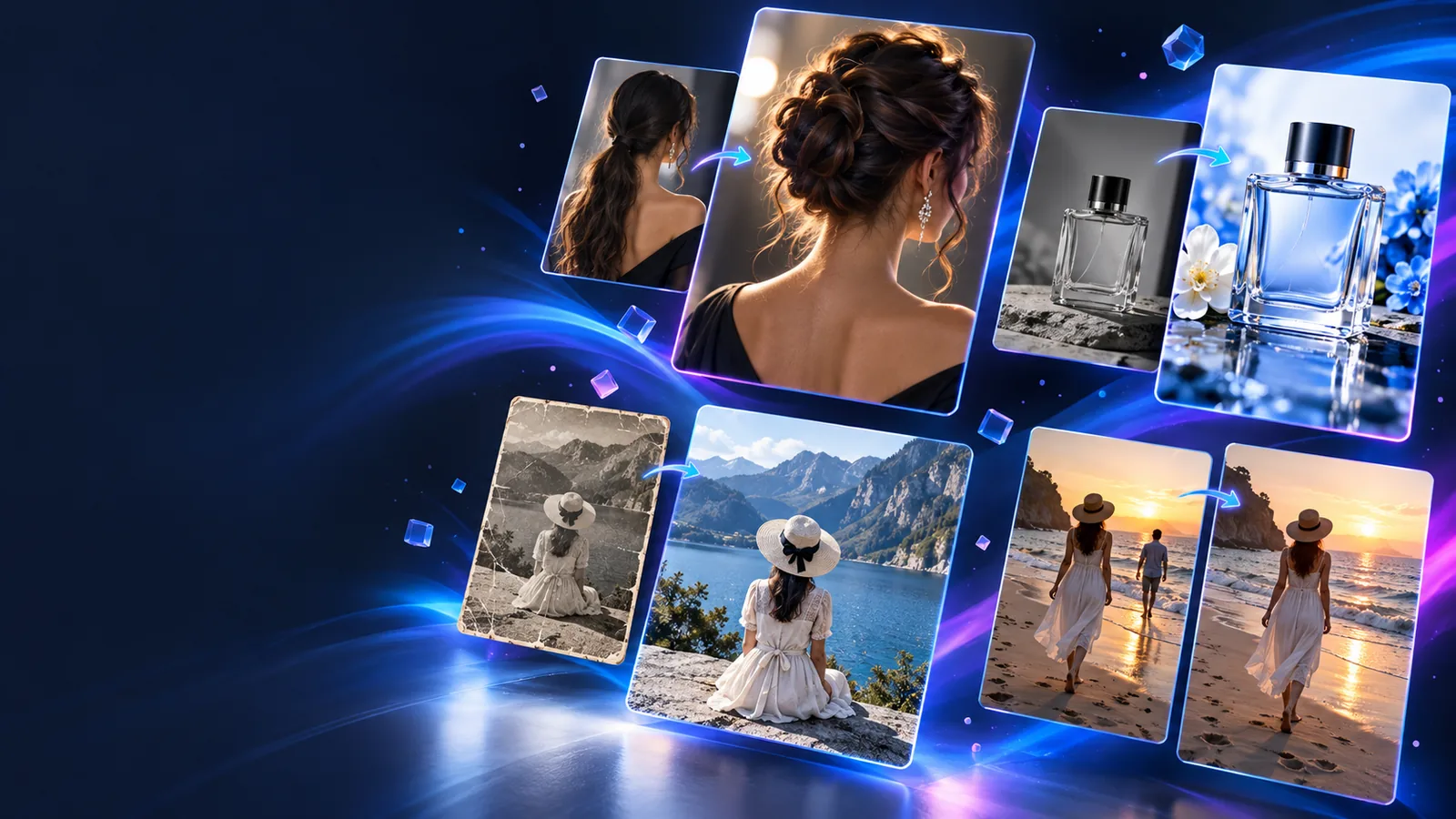
Related paths
Enhancement is one focused route within a broader image-editing workflow. These related pages cover different jobs when sharpening or cleanup is not the main goal.
Use this route when the main task is placing one face onto another image.
Choose this path when the subject and face transformation needs to work across moving footage.
Use the photo-focused route for a still image where identity replacement is the central edit.
Choose this option when changing the setting matters more than refining the subject itself.
Honest boundaries
An enhancer is useful because it stays close to the source. It is not a replacement for every kind of image generation or editing task.
A tiny, heavily compressed, or severely blurred image may not contain enough information for a convincing improvement.
WorkaroundStart with the largest, clearest original file you have and avoid repeated reprocessing.
Enhancement can support the existing visual, but it is not the right route for inventing a new composition, subject, or scene.
WorkaroundDescribe the desired creative change clearly and use a more appropriate editing workflow when the image must be rebuilt.
Strong sharpening or cleanup can make skin, fabric, and fine detail look artificial if the source is already noisy.
WorkaroundAsk for a restrained result and compare the output with the original before publishing.
Improving an image does not change who owns the source or whether the people and brands shown may be used.
WorkaroundConfirm permission and intended use before sharing a finished enhancement.
Simple workflow
Keep the first attempt specific and conservative. A clear source image and a defined improvement goal make the result easier to judge.
Upload the original image you want to preserve. Portraits, product shots, and everyday photos are easier to assess when the main subject is visible and well framed.
Describe what should become clearer or cleaner, such as facial detail, edge definition, lighting balance, or distracting visual noise. Say what must remain unchanged.
Compare the result with the source at a useful size. Check faces, text, repeated patterns, and small edges for changes that look exaggerated or inaccurate.
Choose the right route
The table below separates a focused enhancement pass from a broader image-editing entry point, so the intended outcome is clear before you begin.
Remaker AI enhancer
Refine an existing image while keeping its core appearance
General image editing
Make broader changes to content, style, or composition
Remaker AI enhancer
A real image that needs clearer or cleaner presentation
General image editing
An image or idea that may need substantial reinterpretation
Remaker AI enhancer
Limited; preserve the main arrangement
General image editing
More suitable for changing layout, setting, or visual direction
Remaker AI enhancer
Focused on clarity, texture, and visible finish
General image editing
May prioritize creative changes over faithful detail
Remaker AI enhancer
The original subject should remain recognizable
General image editing
The subject may be altered as part of the edit
Remaker AI enhancer
Check for over-sharpening and artificial texture
General image editing
Check whether the broader edit matches the intended concept
Quality checks
These checkpoints keep the enhancement process grounded in the source instead of treating every stronger-looking result as a better one.
Practical uses
Different people can use a focused enhancement route for different presentation problems, as long as the source image already contains the subject they want to keep.
A portrait is recognizable but soft around the eyes, hair, or clothing edges.
A restrained pass can make the image easier to view while preserving the person’s original appearance.
remaker ai face swap photoA product photo needs cleaner definition before it is placed in a catalog or creative layout.
Improved visual clarity can make the existing item easier to inspect without changing the product itself.
remaker ai background changerA still frame or source image needs cleanup before it becomes part of a moving visual project.
A clearer starting image can support later work without confusing enhancement with video transformation.
remaker ai face swap videoAn older personal image looks dull or uneven but still matters as a record of a moment.
A careful enhancement can improve presentation while keeping the original mood and subject intact.
remaker face swapVisual check
The useful question is not whether the after image looks stronger in isolation, but whether it remains faithful to the source while becoming easier to read.
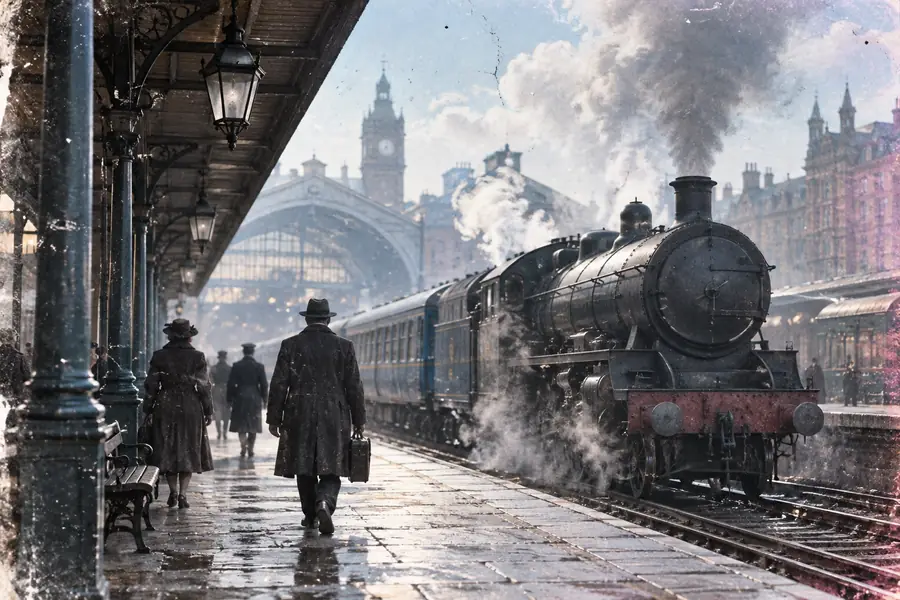
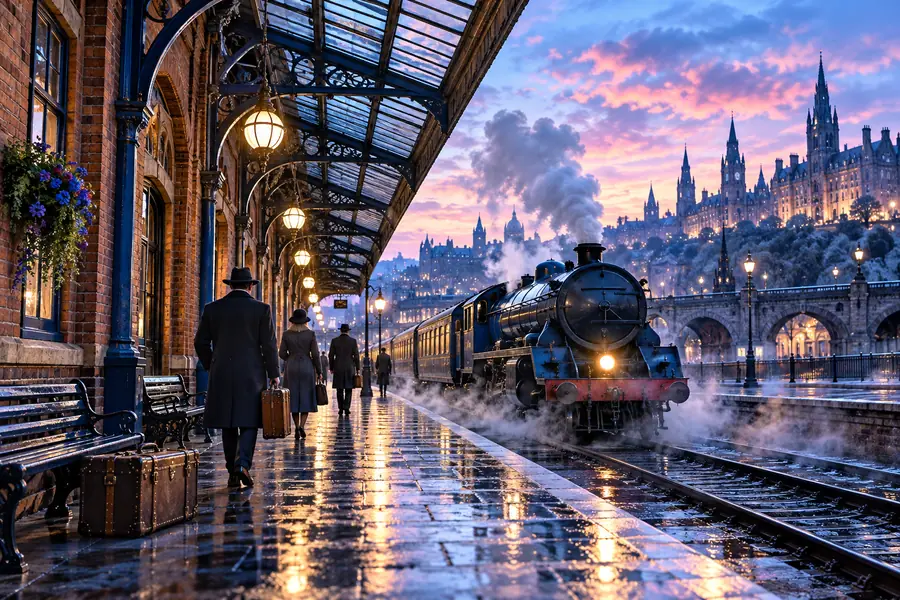
Compare detail, texture, and subject identity.
Ready to refine
Bring a clear source, describe the improvement you want, and judge the result against the original. A focused enhancement works best when the goal is polish rather than a completely different image.
Common questions
These answers focus on what people usually want to know before trying an AI image enhancer for an existing visual.
It is used to refine an existing image by focusing on visible qualities such as clarity, definition, and overall presentation. It is better suited to a careful cleanup or polish than to creating an entirely new scene.
It may improve the appearance of some soft images, but it cannot reliably recover information that was never captured. Results are usually easier to judge when the original file is large enough and the subject is reasonably defined.
An enhancement request should be framed around preserving the subject while improving its presentation. Even then, inspect faces, text, patterns, and fine edges because stronger processing can introduce visible changes.
Yes. An enhancer usually starts from an existing image and aims for a more focused improvement, while a general editor may be better for changing the setting, composition, or creative direction. Choose the route that matches the result you want.
Compare it with the source at a useful viewing size and inspect both the main subject and the edges around it. Look for unnatural texture, halos, changed details, or other improvements that make the image less faithful.